Features

Everything a photo studio needs, in one window.

From the customer's photo to the printed sheet: size, face, background, retouch and print.

01

Official sizes for every country

Pick the size and the app follows its rules: photo size, face size and head position.

  • 3.5×4.5, 4×4, 5×5, 2×2 inch, 4×6 and more
  • Mixed sizes on one 10×15 sheet
  • Add your own sizes and rules
3.5 × 4.5
5 × 5
4 × 4
2 × 2 in
4 × 6
PassportVisaID cardResidence+ your own sizes
02

Face size checked automatically

The app finds the face, measures it from the top of the hair to the chin and tells you if it is inside the official range.

  • Auto-center and auto-straighten
  • Mark hair & chin for an exact size
  • Head position above the hair, in mm
Face size34.2 mm32–36 mm ✓
Head position4.1 mmabove hair
BackgroundWhite
03

A clean background in one click

The AI cut-out removes the room behind the customer. Fix hair edges with the Background brush.

  • White, gray, blue or any color
  • Brush to add or remove parts of the cut-out
  • Works with Photoshop too, if you have it
AI cut-outBackground brush for hairTwo backgrounds on one sheet
04

A real Edit window

Zoom in and retouch like in Photoshop, with one-letter shortcuts.

  • Spot heal, Liquify, Dodge & Burn
  • Filter brush: smooth the skin, keep eyes and lips sharp
  • Hold to compare before / after
Filter amountEraseKeep eyes and lips sharp
MoveV
Spot healJ
LiquifyW
Dodge & BurnO
Filter brushF
Background brushB
Gemini brushG
05

Change the clothes with Gemini

Customer came in a T-shirt? Send the photo to your own Google Gemini, bring back the suit — the app keeps the face 100% original.

  • Ready prompts: suit, shirt and tie, hijab…
  • The face, eyes and size stay exactly as they were
  • Erase or restore parts with the Gemini brush
Customer came in a T-shirt
→
Navy suit, face 100% original
Black suitNavy suitShirt and tieHijab with dark topRemove glassesYour own request
06

Print and save in one click

The sheet is laid out with cut lines. Print it, or save the sheet, the full photo and a PDF.

  • 10×15 sheets, any printer
  • Customer name in the file name, folder per day
  • Today counter: sheets and customers
PRINTToday 24 sheets · 19 customers
Made for busy days

Small things that save you time

Hot folderNew photos from the camera open by themselves.
Recent customersReopen a customer with all the edits kept.
Two customers, one sheetPrint 4 photos of one and 4 of another.
ShortcutsCtrl+O, Ctrl+E, Ctrl+P… in any keyboard language.
Undo for every stepEvery brush stroke and slider can be undone.
Light & dark themeComfortable in a bright shop or a dark studio.
The app

All of it in one window
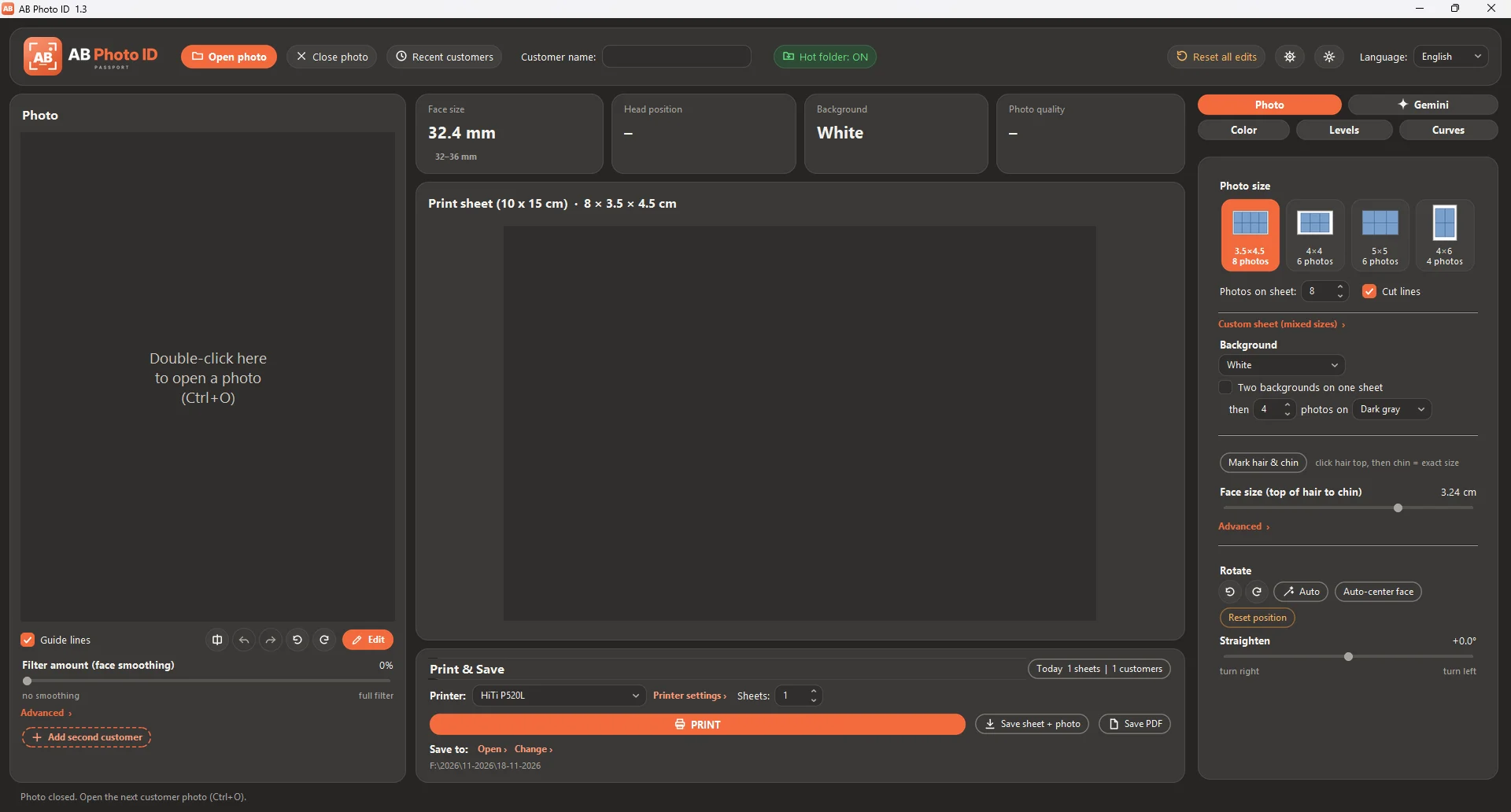
AB Photo ID main window

Try it free for 7 days.

Then message us on WhatsApp to get your license key. Pay the way that suits you.